Adding a trade manually
The + New Trade form field by field, and how the outcome is classified automatically.
The form, field by field
On the Trades page, click + New Trade:
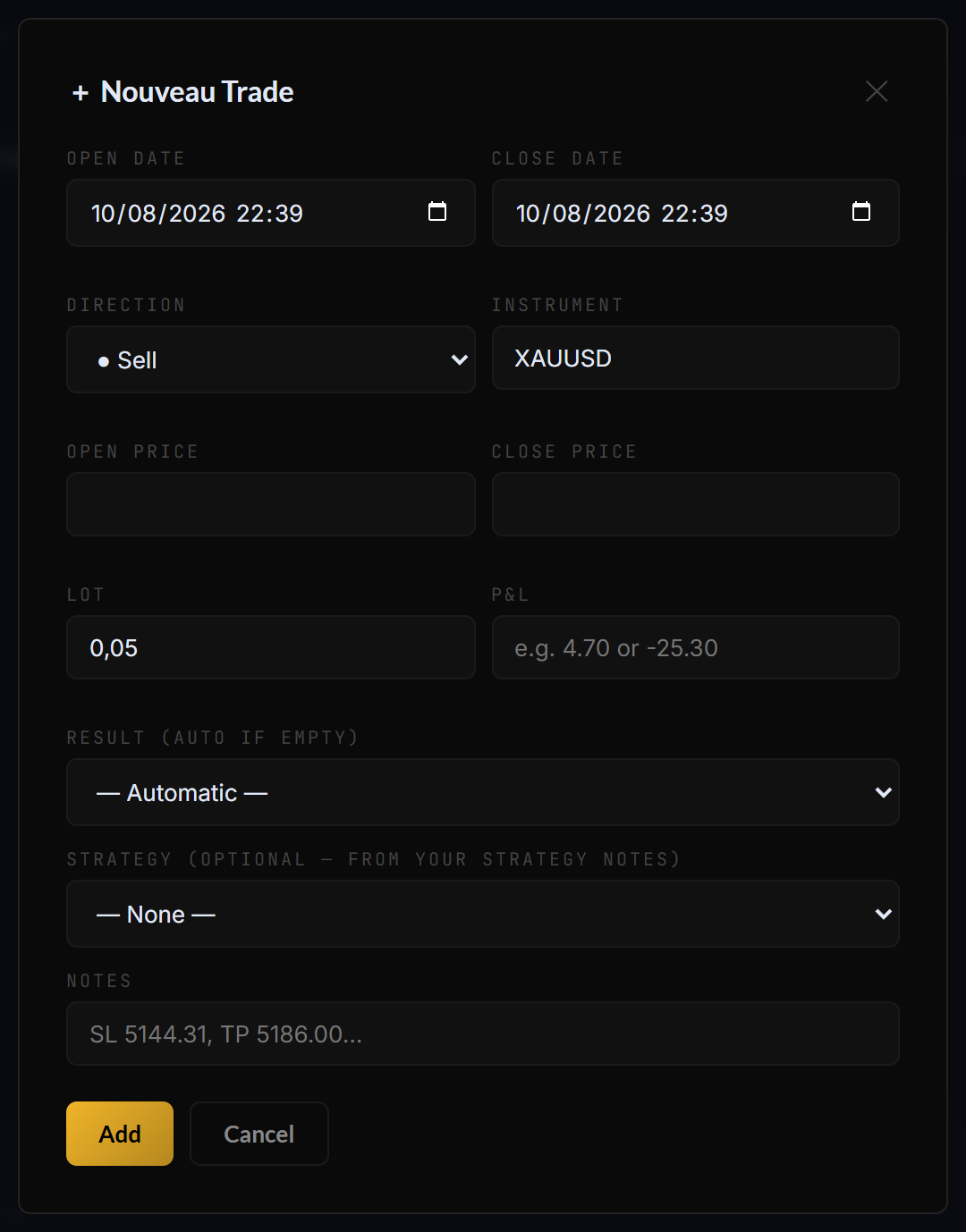
The manual entry form — only P&L is truly required for the stats to work.
| Field | What to enter |
|---|---|
| Open / Close date | Date and time of entry and exit. |
| Direction | Buy or Sell. |
| Instrument | The symbol (e.g. XAUUSD, EURUSD, NAS100). |
| Open / Close price | Your entry and exit prices. |
| Lot | Position size. |
| P&L | The realized profit or loss — e.g. 4.70 or -25.30. |
| Outcome | Leave on Automatic (recommended) and Axel classifies it TP / BE / SL from your thresholds — or force a value manually. |
| Strategy | Optional. The dropdown lists your notes tagged Strategy — pick one to attribute this trade to it. See Strategies. |
| Notes | Free text — stop level, context, mistake made… |
What “automatic outcome” means
With Outcome left on Automatic, Axel compares the trade’s P&L to what a full take-profit or stop-loss would represent for your average lot size, and labels the trade TP, BE (break-even), SL, Gain+ or Loss−. The thresholds are per-account and adjustable — full explanation in TP / BE / SL classification.
A manually added trade can take a few seconds to appear in the statistics — the charts recalculate right after the save.
Still stuck? Contact support — or send feedback from the app: profile menu → Settings → Feedback.