Multiple trading accounts
Create, edit, switch and delete journal accounts — each with its own data, look and settings.
An Axel journal account mirrors one real trading account: your personal account, a prop-firm challenge, a demo. Each keeps its own trades, transactions, notes-linked strategies, layout, theme, background and chart preferences.
Creating an account
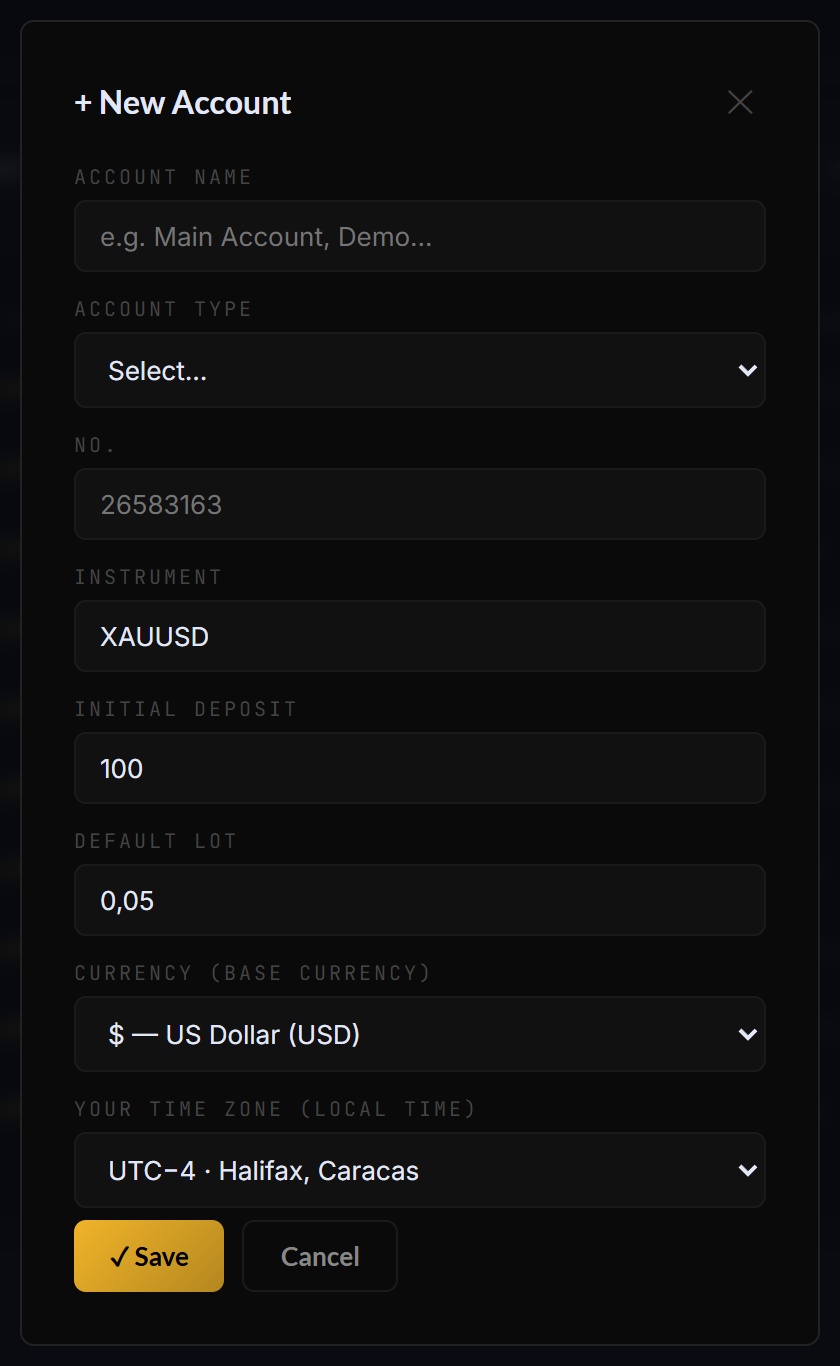
The account form: identity, type, deposit, currency and timezone.
- Click the account block at the top of the sidebar → + New account.
- Fill the form:
- Name — e.g. “Main account”, “FTMO 100k”.
- Type — Personal funds · Prop firm · Demo · Mixed.
- Account number — your broker account id (optional but useful).
- Instrument — the main symbol you trade on it.
- Initial deposit and default lot.
- Base currency — 24 currencies available; every amount in the app displays in it.
- Your timezone — used to place your trades at the right local hour in calendars and heatmaps.
- ✓ Save.
Switching, editing, deleting
- Switch — open the account menu and click another account. Data, layout, accent, background, chart prefs: everything follows.
- Edit — ✎ next to the account (or Settings → Accounts) reopens the form.
- Delete — in the edit modal, the × Delete button removes the account and its data after confirmation.
The colored dot next to each account shows its feed: green = Auto-Sync, yellow = CSV, red = manual. See Three ways to import.
Still stuck? Contact support — or send feedback from the app: profile menu → Settings → Feedback.